
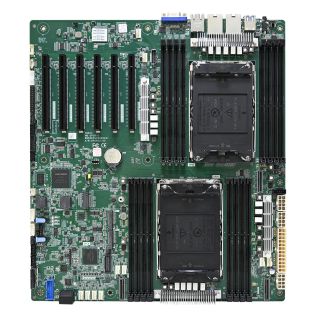
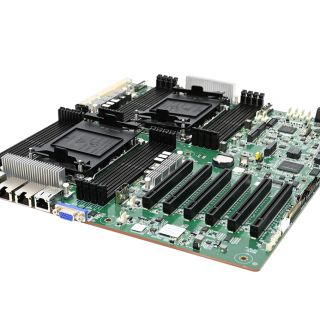
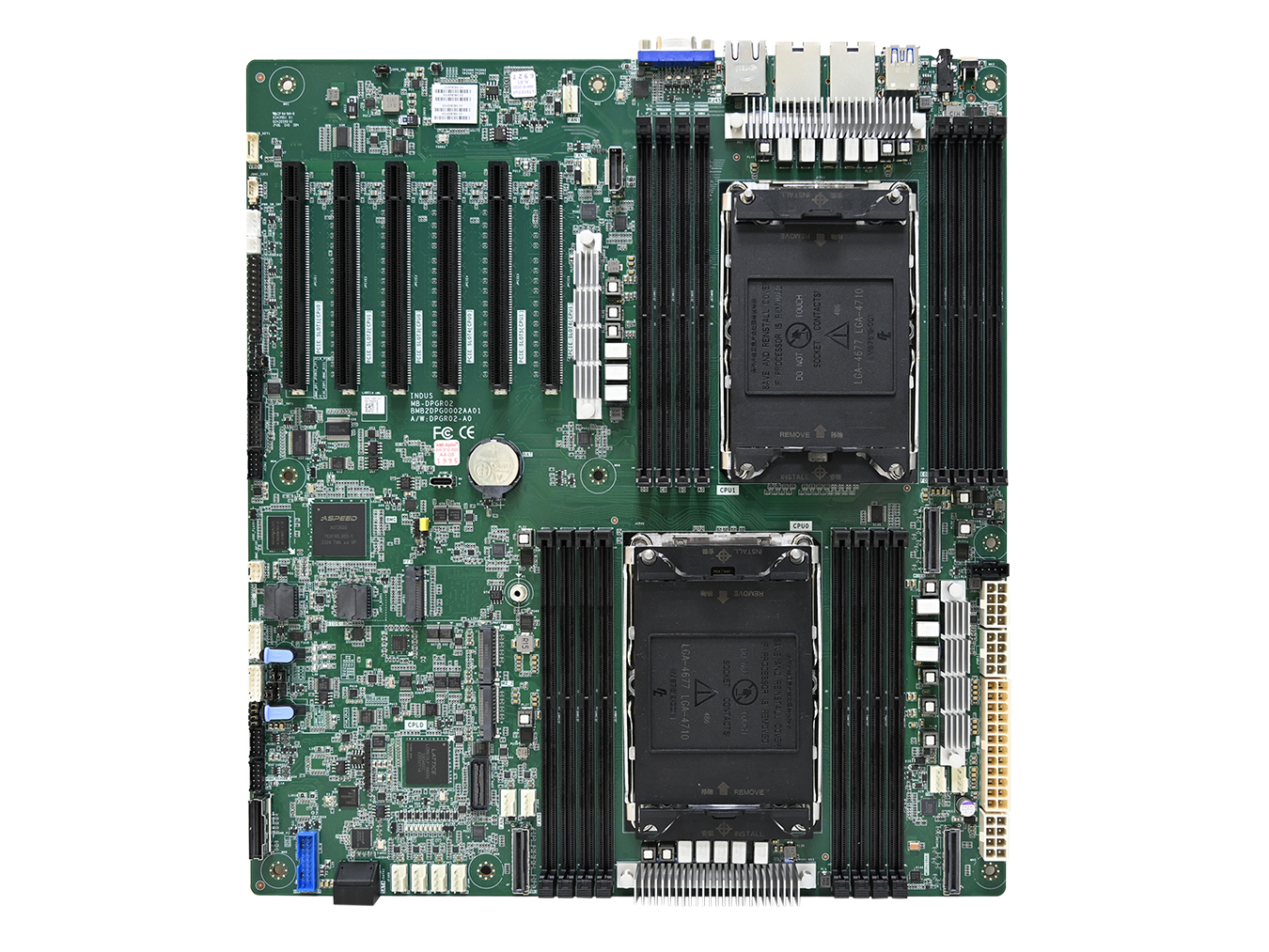
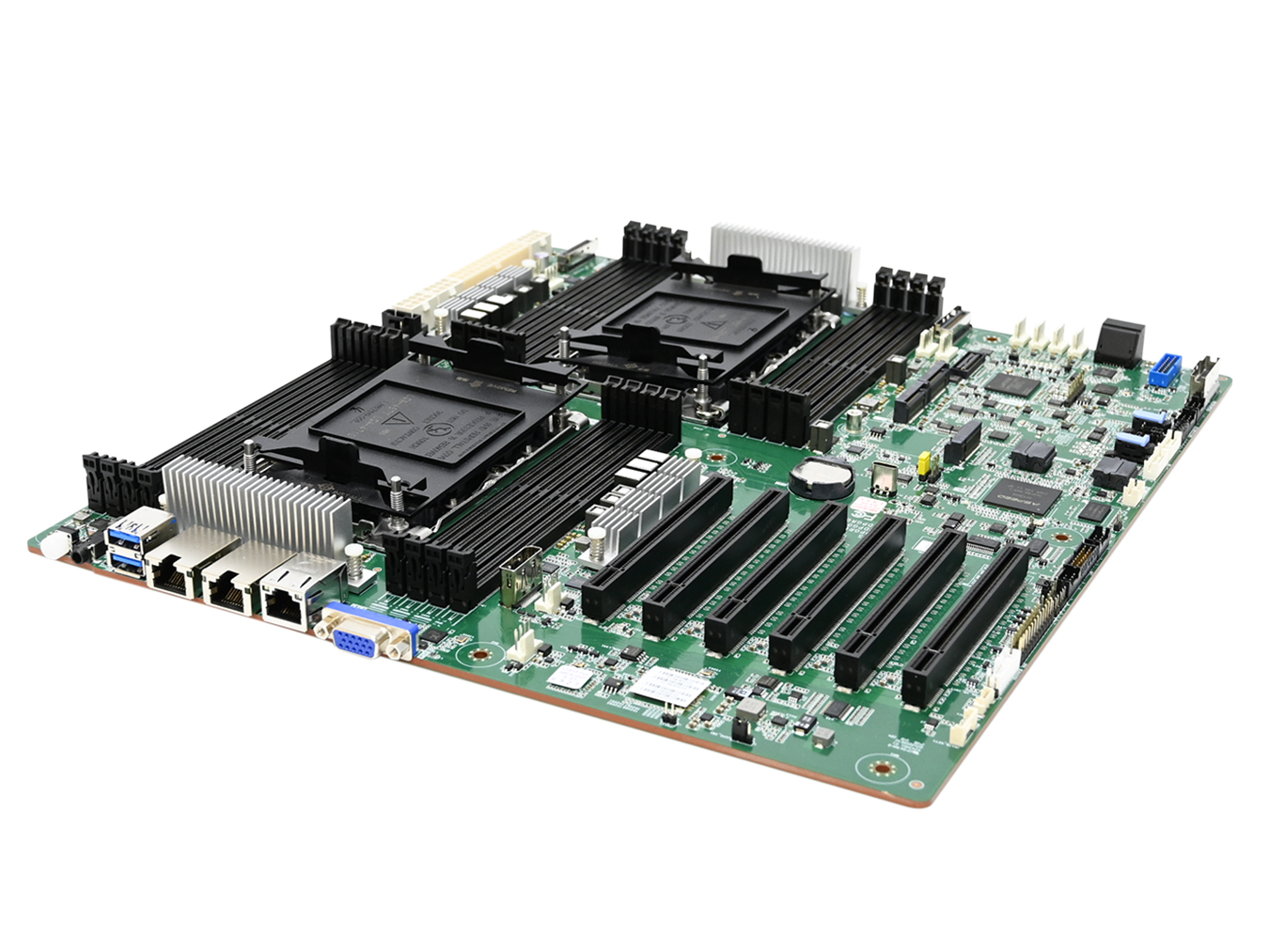
Indus supports dual Intel® Xeon® 6 processors 6500/6700 series with up to 144 CPU cores and 350W TDP. It supports up to 4TB DDR5 3DS RDIMMs with 16 memory slots and memory speeds up to 6400MHz.
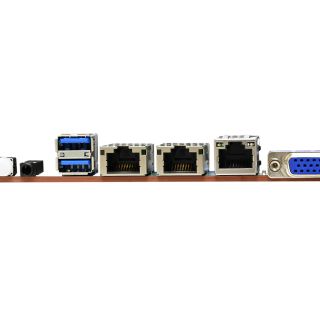
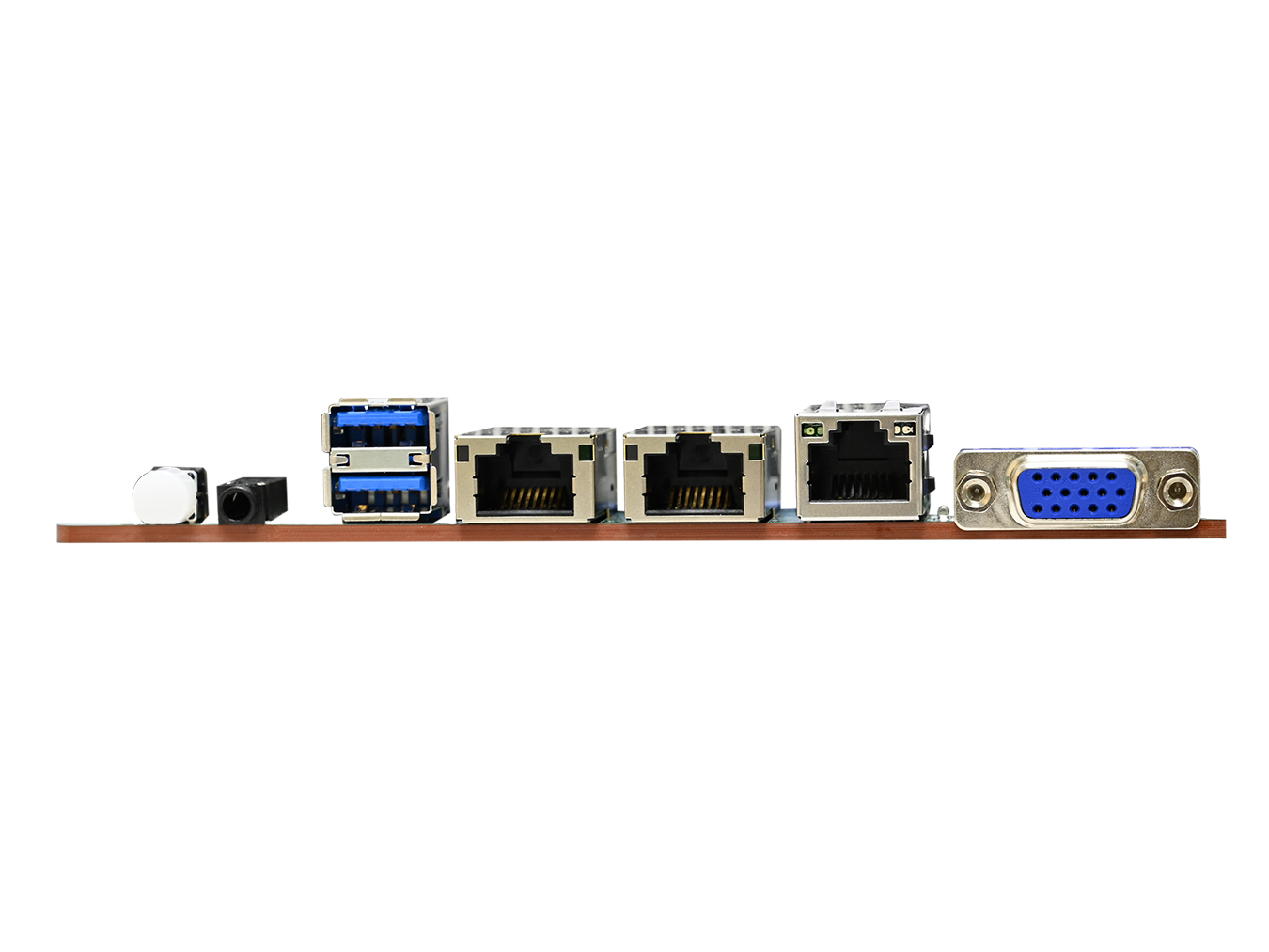
The high-speed expansion I/O includes 6 x16 PCIe5.0/CXL2 slots, 3 MCIO x8 PCIe5.0/CXL2, 2 M.2 2280 PCIe Gen5 x 4, 2 SATA3.0 7-pin connectors (support RAID 0, RAID 1, SPAN), and 1 Slimline 8i connector (up to 8 SATA3.0), 2 USB3 ports on rear, 1 internal USB3 header (support 2 USB3) and 2 internal USB2 headers (support 4 USB2). Security features include TPM2.0 onboard, TCM2.0.
The high-speed expansion I/O includes 6 x16 PCIe5.0/CXL2 slots, 3 MCIO x8 PCIe5.0/CXL2, 2 M.2 2280 PCIe Gen5 x 4, 2 SATA3.0 7-pin connectors (support RAID 0, RAID 1, SPAN), and 1 Slimline 8i connector (up to 8 SATA3.0), 2 USB3 ports on rear, 1 internal USB3 header (support 2 USB3) and 2 internal USB2 headers (support 4 USB2). Security features include TPM2.0 onboard, TCM2.0.
KEY FEATURE
Supports Intel® Xeon® 6 Scalable Processors for highest every performance and improved power efficiency
특징Supports Intel® Xeon® 6 Scalable Processors for highest every performance and improved power efficiency
Supports 16x DDR5 DIMM slots for maximum memory performance
특징Supports 16x DDR5 DIMM slots for maximum memory performance
Supports Compute Express Link (CXL2.0)
특징Supports Compute Express Link (CXL2.0)
Supports MCR DIMMs (8000MHz)
특징Supports MCR DIMMs (8000MHz)
Supports 3 MCIO x8, total 24 PCIe5.0 lanes
특징Supports 3 MCIO x8, total 24 PCIe5.0 lanes
Supports 6 PCIe X16 slots
특징Supports 6 PCIe X16 slots
Supports one Slimline 8i to 8 SATA3.0 drive
특징Supports one Slimline 8i to 8 SATA3.0 drive
사양
Main
Sub
Details
System
Dimensions
• mm : 304.8 x 334.05
• inches : 12 x 13
• inches : 12 x 13
Processor-Support
Dual Intel® Xeon® 6 processors 6500/6700 series CPU
CPU-TDP
350W
UPI-Speeds
16/20/24 GTs
Socket-Type
Socket E2 (LGA 4710 Socket)
System-Memory
• DDR5
- 6400MHz (1DPC RDIMM)
- 8000MHz (1DPC MCR)
• Total 16 memory slots; 8 slots per CPU (1DPC)
• Supports up to 4TB (3DS RDIMM)
- 6400MHz (1DPC RDIMM)
- 8000MHz (1DPC MCR)
• Total 16 memory slots; 8 slots per CPU (1DPC)
• Supports up to 4TB (3DS RDIMM)
Expansion-Slots
Total support 128 lanes of PCIe5.0
• PCIe slots
- 3 x16 PCIe5.0/CXL2 (CPU0)
- 3 x16 PCIe5.0/CXL2 (CPU1)
• MCIO
- 3 MCIO x8 PCIe5.0/CXL2
(2 from CPU0+1 from CPU1)
• M.2
- 2 M.2 2280 PCIe Gen5.0 x4
• 2 SATA3.0 (6Gb/s) 7-pin connectors
• 1 Slimline 8i connector (support 8 SATA3.0 ports)
• 1 USB double-stack Type-A connector supports two USB 3.0 devices
• 1 USB pin header supports two USB 3.0 devices
• 2 USB pin headers support four USB 2.0 devices
System-BIOS
BIOS-Type
AMI UEFI BIOS(64M ROM size)
BIOS-Features
• ACPI
• PXE
• WOL
• AC loss recovery
• IPMI 2.0 KCS mode interface
• SRIOV
• SMBIOS
• TPM
• Serial console redirection
• PCIe hotplug
• PXE
• WOL
• AC loss recovery
• IPMI 2.0 KCS mode interface
• SRIOV
• SMBIOS
• TPM
• Serial console redirection
• PCIe hotplug
On-board-Devices
SATA
• 1 ASMedia ASM1062R SATA (6Gbs) Raid Controller (Support RAID 0, RAID 1, SPAN) supports 2 SATA ports
• 2 ASMedia ASM1164 SATA(6Gbps) Controller support 8 SATA ports
• 2 ASMedia ASM1164 SATA(6Gbps) Controller support 8 SATA ports
BMC
ASPEED AST2600
Network-Controller
Broadcom BCM5720 for dual port 1GbE (NCSI for share NIC)
Graphics
• Integrated VGA support by ASPEED AST2600
• Resolution up to 1920x1200 @60Hz 32bpp
• Resolution up to 1920x1200 @60Hz 32bpp
Additional Information
TPM 2.0 - NUVOTON NPCT760AABYX
Input-Output
SATA
• 2 x SATA3.0 7-pin by ASM1062R (supports RAID 0/1)
• 8 x SATA3.0 with 1 Slimline 8i connector by 2 ASM1164
• 8 x SATA3.0 with 1 Slimline 8i connector by 2 ASM1164
LAN
• 2 x RJ45 1GbE connectors
• 1 x RJ45 1GbE connector (for BMC management port)
• 1 x RJ45 1GbE connector (for BMC management port)
USB
• 1 x USB 3.0 double-stack Type-A connector supports two USB 3.0 ports
• 1 x USB pin header supports USB 3.0
• 2 x USB pin headers support USB 2.0
• 1 x USB pin header supports USB 3.0
• 2 x USB pin headers support USB 2.0
Display
• 1 x DB-15 VGA connector
• 1 x Display port
• 1 x Display port
Serial-Port
1 x COM connector (Audio Jack)
Others
• PCIe slots
- 3 x16 PCIe5.0/CXL2 (CPU0)
- 3 x16 PCIe5.0/CXL2 (CPU1)
• 3 MCIO x8 PCIe5.0/CXL2 (2 from CPU0 + 1 from CPU1)
• 2 M.2 2280 PCIe Gen5.0 x4
- 3 x16 PCIe5.0/CXL2 (CPU0)
- 3 x16 PCIe5.0/CXL2 (CPU1)
• 3 MCIO x8 PCIe5.0/CXL2 (2 from CPU0 + 1 from CPU1)
• 2 M.2 2280 PCIe Gen5.0 x4
Additional-Information
Security
•TCM 2.0 with 2x8 connector
•TPM 2.0 onboard
•TPM 2.0 onboard
* 모든 사양은 사전 통지 없이 변경될 수 있습니다.
|
MB_SKU |
Ordering Information |
Description |
|---|---|---|
|
Indus |
BMB2DPG0002A |
PCBA/MOTHER BOARD/MB-DPGR02/INDUS |
|
Indus |
M22-1717-008 |
Indus MB (BMB2DPG0002A) with IOS (M60-1717-001), bulk packing with 10 pcs MB & IOS (10 pcs in packing) |
|
Indus |
M22-1717-009 |
Indus MB (BMB2DPG0002A) with IOS (M60-1717-001), single packing |
관련 제품
01
02
01
02